
Choosing the right video speed controller extension can 2x your learning
efficiency. This guide compares key features and shows how Xspeedup helps you speed up or slow down any HTML5 video with precision—while keeping audio natural.
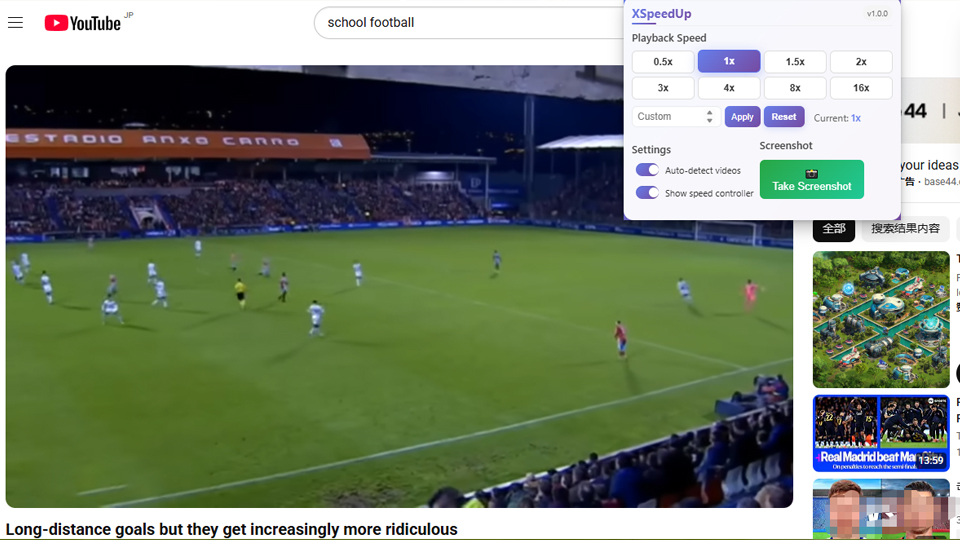
Why a video speed controller matters
- Learn faster for lectures, tutorials, interviews
- Slow down dense parts to understand details
- Keep pitch normal so voices stay natural
- Capture screenshots for notes and revision
Key features to look for
- Precise range (0.5x–16x) and numeric input
- Presets like 1x/1.5x/2x/4x/8x
- Screenshot support with a built‑in gallery
- Privacy‑friendly (no tracking, local‑only storage)
- Works across Chrome, Edge, and Firefox
Xspeedup highlights
- Fine‑grained slider + custom input for 1.25x, 1.75x, 2.25x, etc.
- One‑click screenshots stored locally in your browser
- Clean UI that works on most HTML5 players

How to use
- Install → /en/download/
- Open a page with an HTML5 video
- Drag the slider or type a value like 1.75
- Click “Screenshot” to capture the current frame
Best practices
- For lectures: try 1.5x–2.5x depending on clarity
- For coding walkthroughs: 1.25x–1.75x to follow along
- For dense talks: slow to 0.75x–1x at hard parts
Learn more
- Interactive demo → /en/features/
- Tutorials with visuals → /en/tutorials/
SEO keywords: video speed controller extension, video fast forward extension, speed increase extension, video acceleration tool